XiaoXin App
Built with Flutter, the Xiaozhi protocol, offline keyword spotting, VAD, Opus streaming audio, and H5 Bridge. Turn phones, tablets, wall-mounted screens, and desktop panels into AI voice terminals connected to your AI backend, combining visual UI with fluid device-side conversation.

[ Real-time Audio Stream Active ]
Application Positioning
XiaoXin App focuses entirely on solving the complex hardware-software audio interactive pipeline on device. It does not bind you to closed commercial cloud APIs, allowing developers full self-hosting freedom.
What XiaoXin Does
- Offline local hotword wake word detection
- Local high-fidelity Silero VAD detection
- Low-bitrate high-quality Opus compression
- WebSocket stream signaling orchestration
- Native PCM circular buffer low-latency playing
- WebContainer page loading & robust JS Bridge
- Model Context Protocol (MCP) local execution
What You Need to Prepare
- An Android smart display or iOS phone/tablet
- A backend compatible with the Xiaozhi WebSocket protocol
- Customized H5 business pages tailored to your scenarios
- Or custom Dart code integration if higher performance is required
- Optional MCP / Function Call external tools implementation
- Local or cloud-based ASR/TTS/LLM services
How to Get Started
- Download the latest Android package and install directly
- Test offline features via the built-in local H5/Native Demo
- Toggle WebSocket server URL instantly on Settings page
- Register on xiaozhi.me to try out public test servers
- Pull the source code to debug and develop for deep exploration
Start with a working voice pipeline, then build your business UI on top
XiaoXin does not treat screens as the main selling point. Its value is a reusable client-side voice foundation: wake word detection, VAD, recording, Opus streaming, WebSocket protocol, playback interruption, and state management.
You can build H5/Flutter business interfaces on top of it, or bring XiaoXin's voice modules, protocol layer, and state machine into an existing Android/iOS app to add voice interaction without rebuilding the audio stack.
Two practical ways to extend XiaoXin:
- Build new products on top: Use XiaoXin as the voice client foundation, then build H5 or native UI above it.
- Add voice to existing apps: Reuse XiaoXin's wake word, VAD, streaming, interruption, and protocol state machine in Android/iOS apps.
- Coordinate voice and UI: Let voice handle natural input while UI handles confirmation, lists, forms, QR codes, and media feedback.
- Reuse across terminals: Adapt the same voice foundation to phones, tablets, wall panels, desktop displays, and other Android/iOS terminals.
Core Engineering Capabilities
XiaoXin wraps scattered device-side components—recording, noise cancellation, endpointing, low-latency streaming, and consistent state machines—into a single solid, cohesive package.
Cross-Platform Flutter
Built with clean Flutter architecture. Shares 100% logic between Android and iOS, perfectly adapting to smart screens and tablets.
Xiaozhi Protocol Sync
Conforms strictly to Xiaozhi WebSocket messaging specifications, supporting hello, listen, stt, tts, llm, and mcp signal framing.
Sherpa-ONNX Local KWS
Local inference engine for 100% offline "XiaoXin XiaoXin" hotword wake detection without drawing internet cellular data.
Silero On-device VAD
Loads high-precision Silero VAD neural network on device, analyzing voice activity on native thread, robustly isolating noise.
Opus Streaming Encoding
Sample microphone audio as PCM in real-time, encode instantly via native Opus library, and feed WebSocket chunk streams under minimum bandwidth.
Low-latency PCM Playback
Accept chunked stream data back from TTS engine, decode to PCM on the fly, and write directly into hardware buffers to bypass audio gaps.
Unified State Machine
Engineered SessionManager to strictly synchronize idle, connecting, listening, speaking, and error states, eliminating audio chaos.
WebContainer & JS Bridge
Embeds full-screen robust WebView. Exposes global `window.XiaoXin` bridge APIs, granting voice capabilities to standard HTML/JS web apps.
MCP Tool Calling Interface
Integrates JSON-RPC Model Context Protocol, parsing backend tools/call events to adjust native volume, brightness, or hardware IoT sensors.
Multi-Env OTA Remote Config
Enables test, staging, and prod configurations. Supports remote OTA sync for WebSocket addresses and H5 app URLs, vital for mass fleet deployments.
Business Context Params
H5 can call setVoiceParams to persist userId, roleId, buildingId, or custom context, then pass them through hello/listen extend payloads to your backend.
Stable Device Identity
Generates stable MAC-style device IDs from Android ID or iOS Keychain, keeps clientId/authCode, and attaches them to protocol and OTA requests.
Fluid Voice Conversation Engineering
Running basic audio streams is easy. However, performing conversations naturally under acoustic echo, network lag, and sudden interruptions is a major hurdle. XiaoXin optimizes every step of the conversational pipeline.
01 Fast Offline KWS & In-speech Interruption
Loads lightweight Sherpa-ONNX Zipformer KWS engine. Supports rapid startup, and detects "XiaoXin XiaoXin" hotword cleanly while AI is speaking to stop audio immediately and listen again.
02 Pre-record Ring Buffer (Never Miss First Syllable)
Local VAD inference takes a brief duration to process, which historically swallowed the first half-second of user speech. XiaoXin keeps a 1.5s circular buffer running in RAM to prepend audio history, preserving the starting words perfectly.
03 Tunable Silero VAD Thresholds
Strict VAD cuts off users during natural speaking pauses; loose VAD makes responses slow. XiaoXin exposes Silero thresholds and silent gap parameters to developers, allowing live parameter tweaks per scenario.
04 Opus Low-Bandwidth WebSocket Frames
Raw PCM stream is heavy. XiaoXin runs native real-time Opus compilation, sending compressed binary frames under a 60ms length over WebSockets, guaranteeing high stability on shaky networks.
05 Zero-Buffer Streamed TTS PCM Playback
Bypasses traditional player bottlenecks. Downward streaming TTS chunks from WebSockets are decoded to raw PCM instantly and pumped directly to audio hardware buffers, dropping latency to under 300ms.
06 Clean and Instant Conversation Abort
When user interrupts verbally or taps "stop", the client clears player caches, discards incoming packet buffers, and immediately sends an `abort` signal to backend to terminate LLM generation, resetting to Listening state instantly.
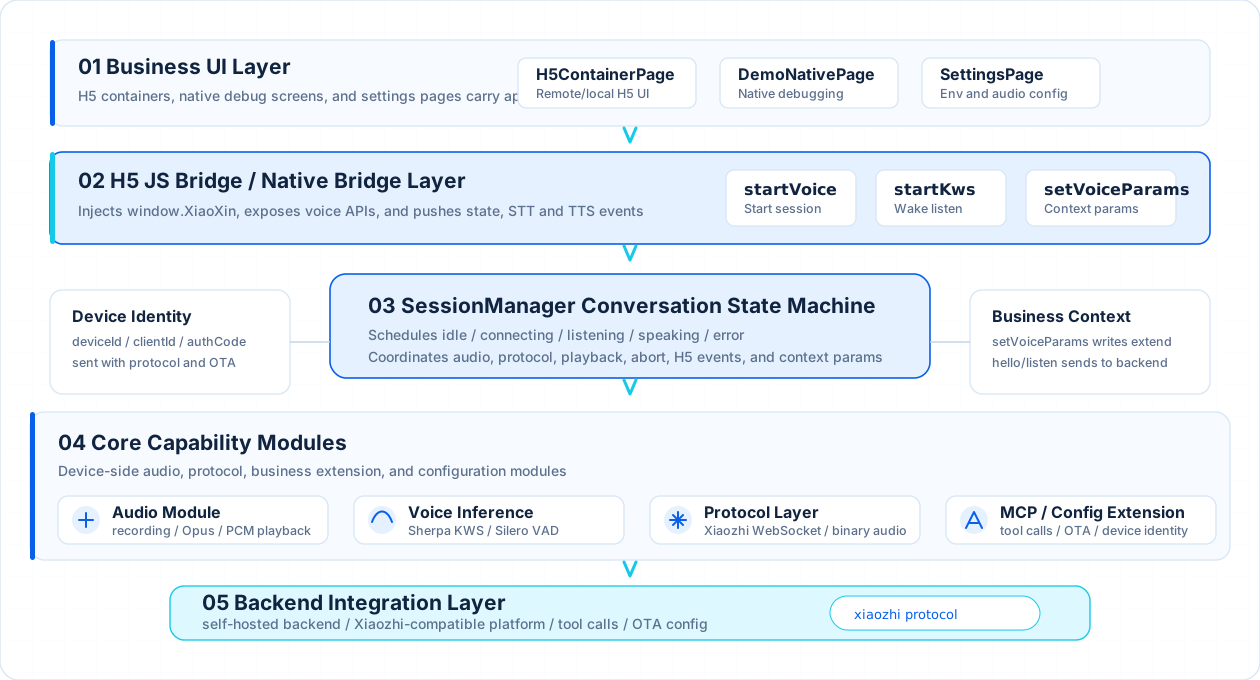
XiaoXin App Layered Architecture
From business UI to device-side voice capabilities and Xiaozhi-compatible backend integration, every module is orchestrated around SessionManager.
Granting Native Voice to H5 Pages
XiaoXin App implements a full-screen Web container with an optimized JS Bridge. Your existing Web pages can invoke microphone, offline wakes, VAD stream starts, and physical device toggles simply by listening to `window.XiaoXin` events.
JS Bridge Native Call API list
// Listen to Bridge ready event
window.addEventListener('xiaoxin:ready', function () {
  console.log('XiaoXin JS Bridge is loaded');

  // 1. Listen to native device state machine toggles
  XiaoXin.on('onStateChange', function (data) {
    // States: idle, connecting, listening, speaking, error
    console.log('Current state:', data.state);
  });

  // 2. Listen to user real-time ASR text
  XiaoXin.on('onSttText', function (data) {
    console.log('User spoke:', data.text);
  });

  // 3. Listen to chunked TTS分句 text
  XiaoXin.on('onTtsSentence', function (data) {
    console.log('AI sentence text:', data.text);
  });

  // 4. Actively trigger native voice conversation session
  XiaoXin.startVoice({}, function (success, data, error) {
    if (!success) {
      console.error('Failed to start voice:', error);
    }
  });
});Actual Device Screen Showcases
XiaoXin performs solidly across major devices: mobile screens, 10" industrial displays, 4" desktop panels, and iPads. Click screenshots to expand.

Mobile - Splash Screen

Mobile - Native Voice Chat
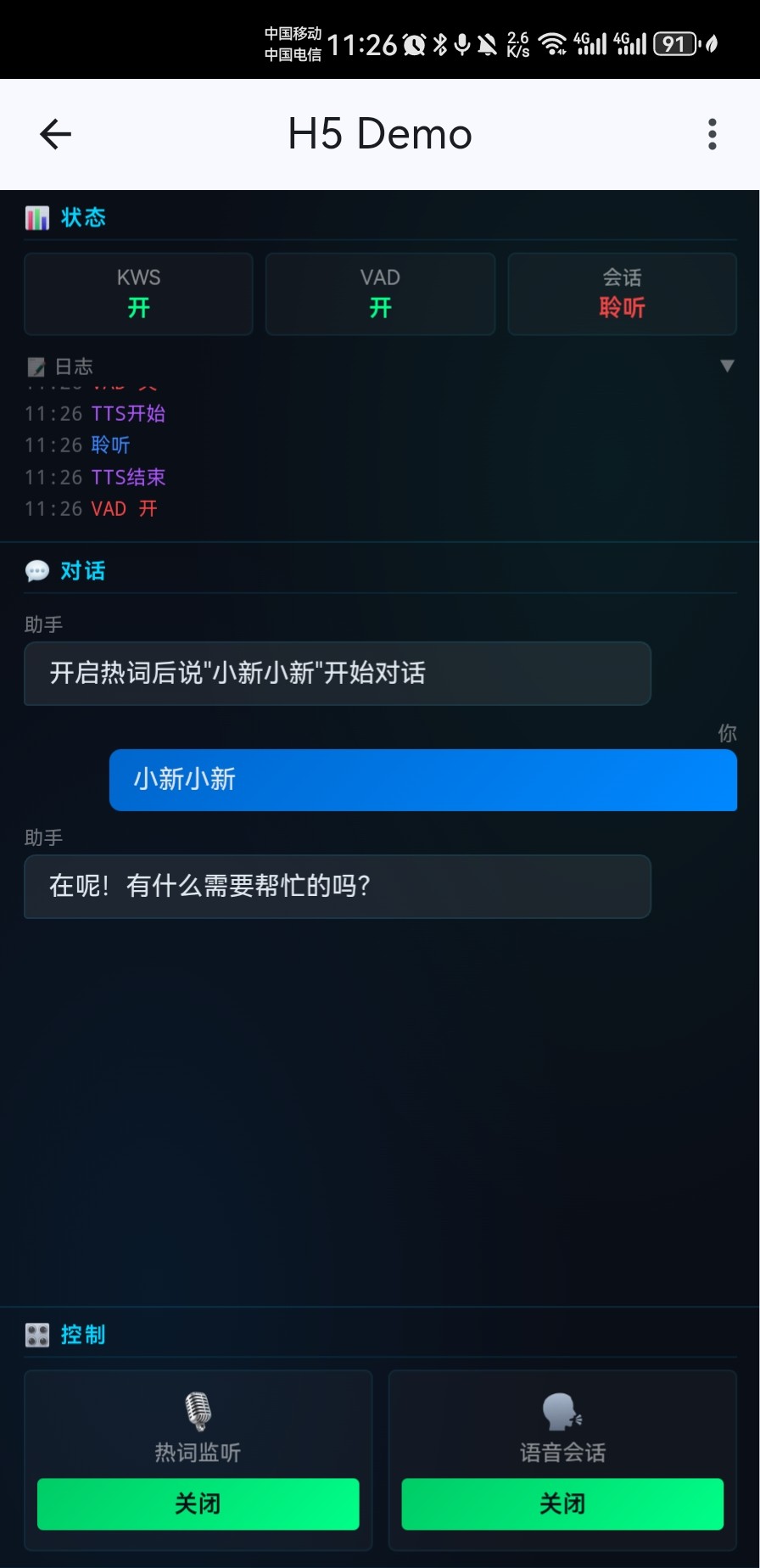
Mobile - H5 Bridge Chat
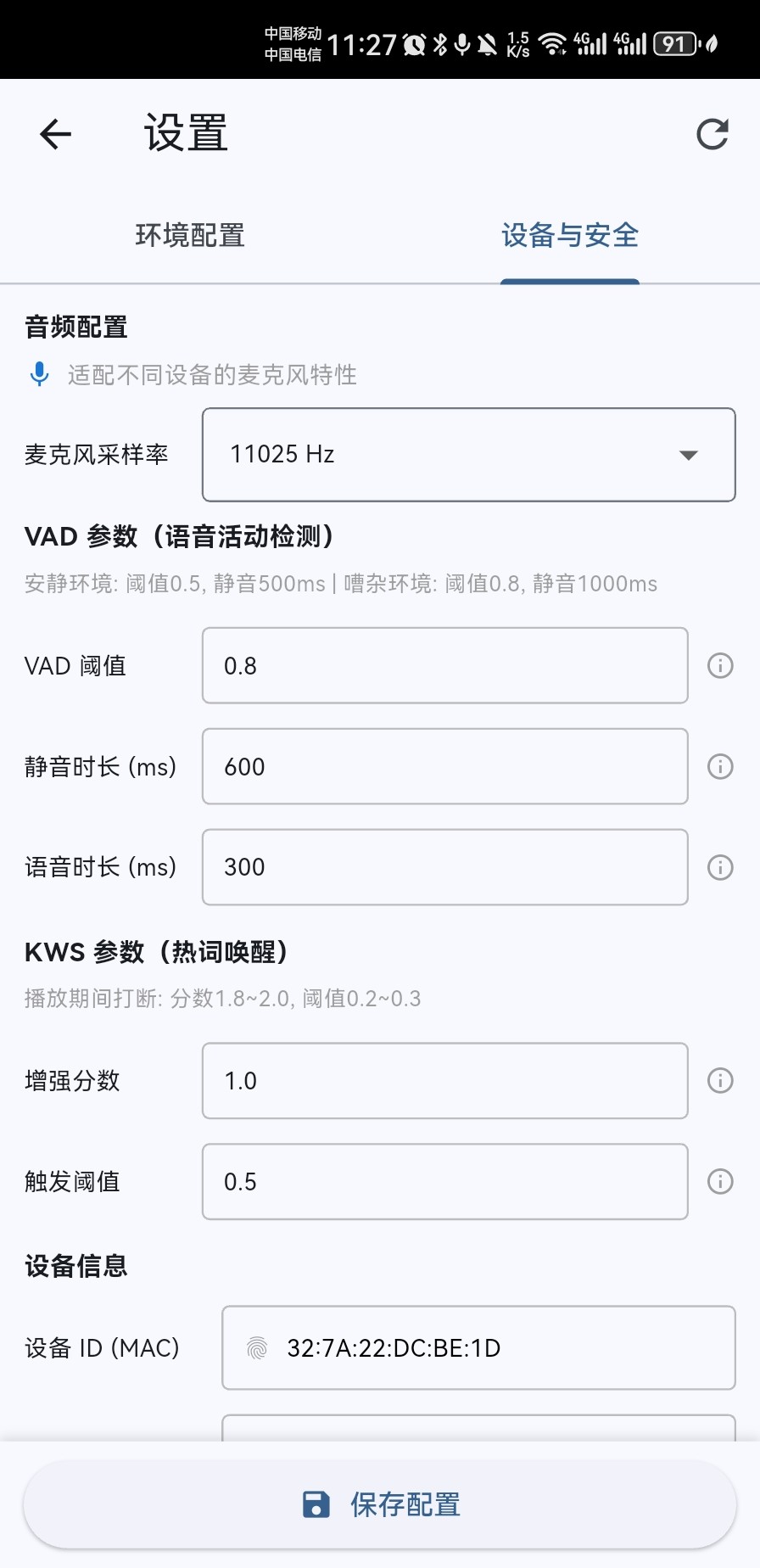
Mobile - Device Parameters
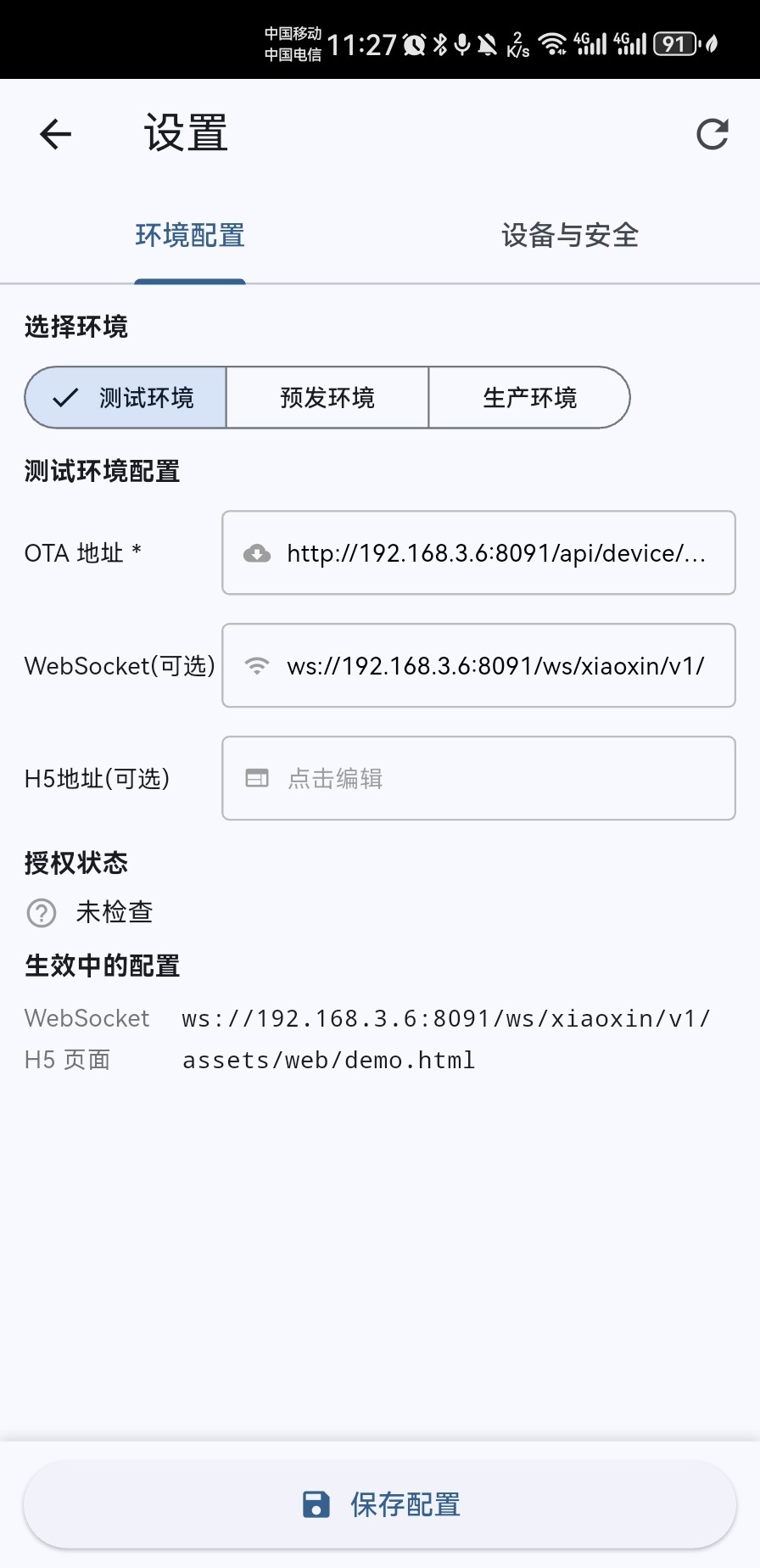
Mobile - Endpoint Configuration
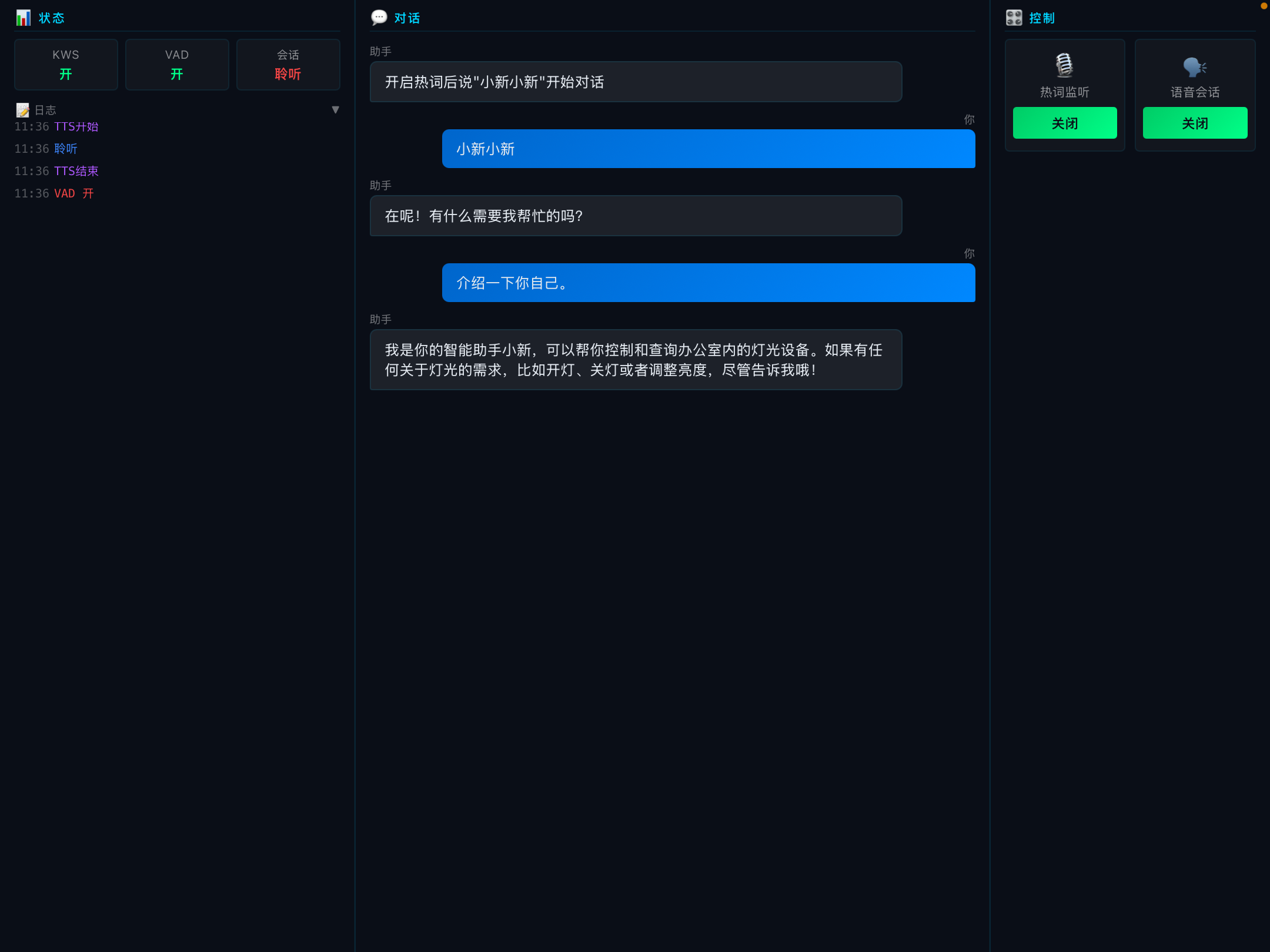
iPad - H5 Bridge Debugger
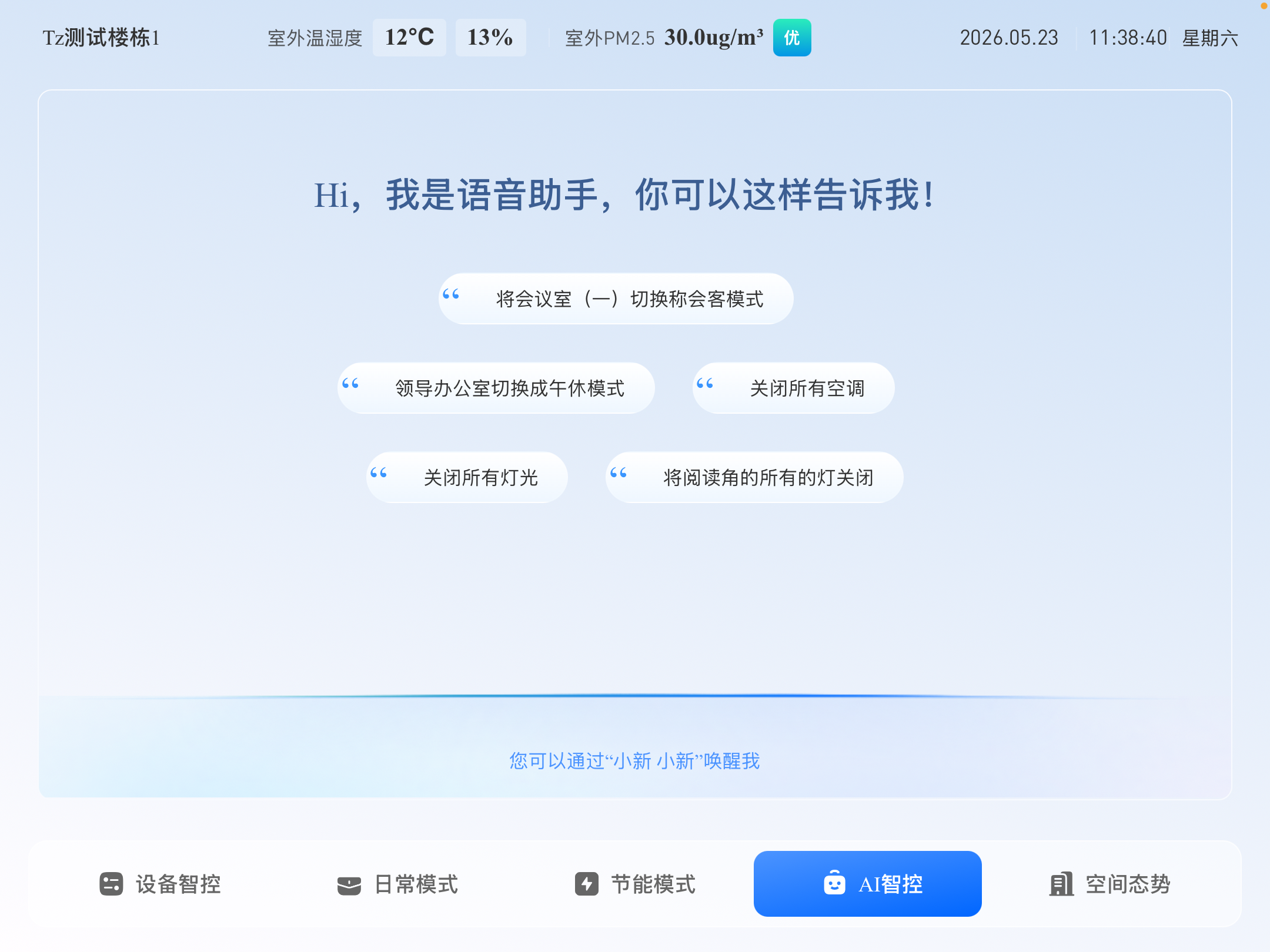
iPad - Production Client View
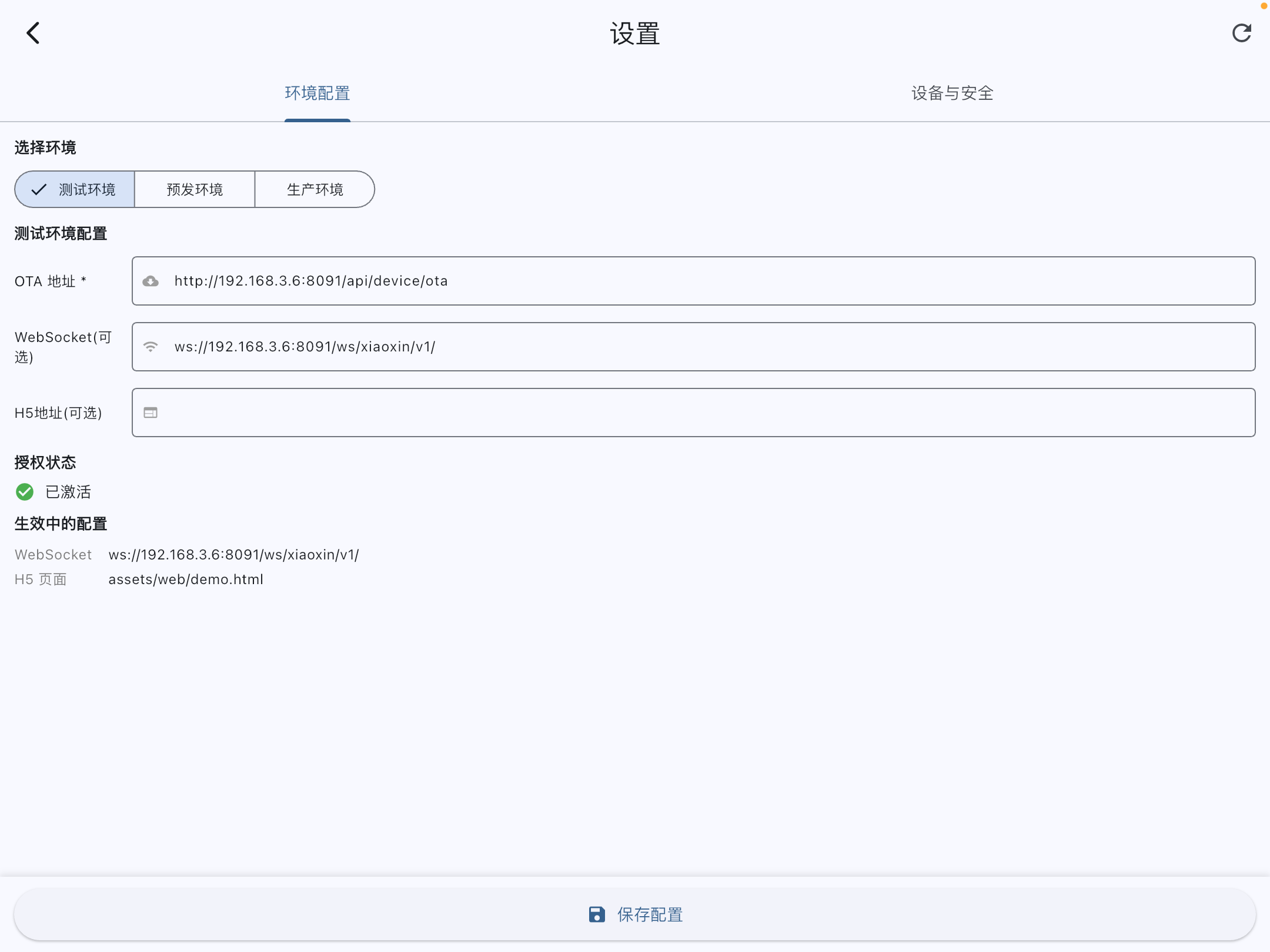
iPad - Voice Server Config
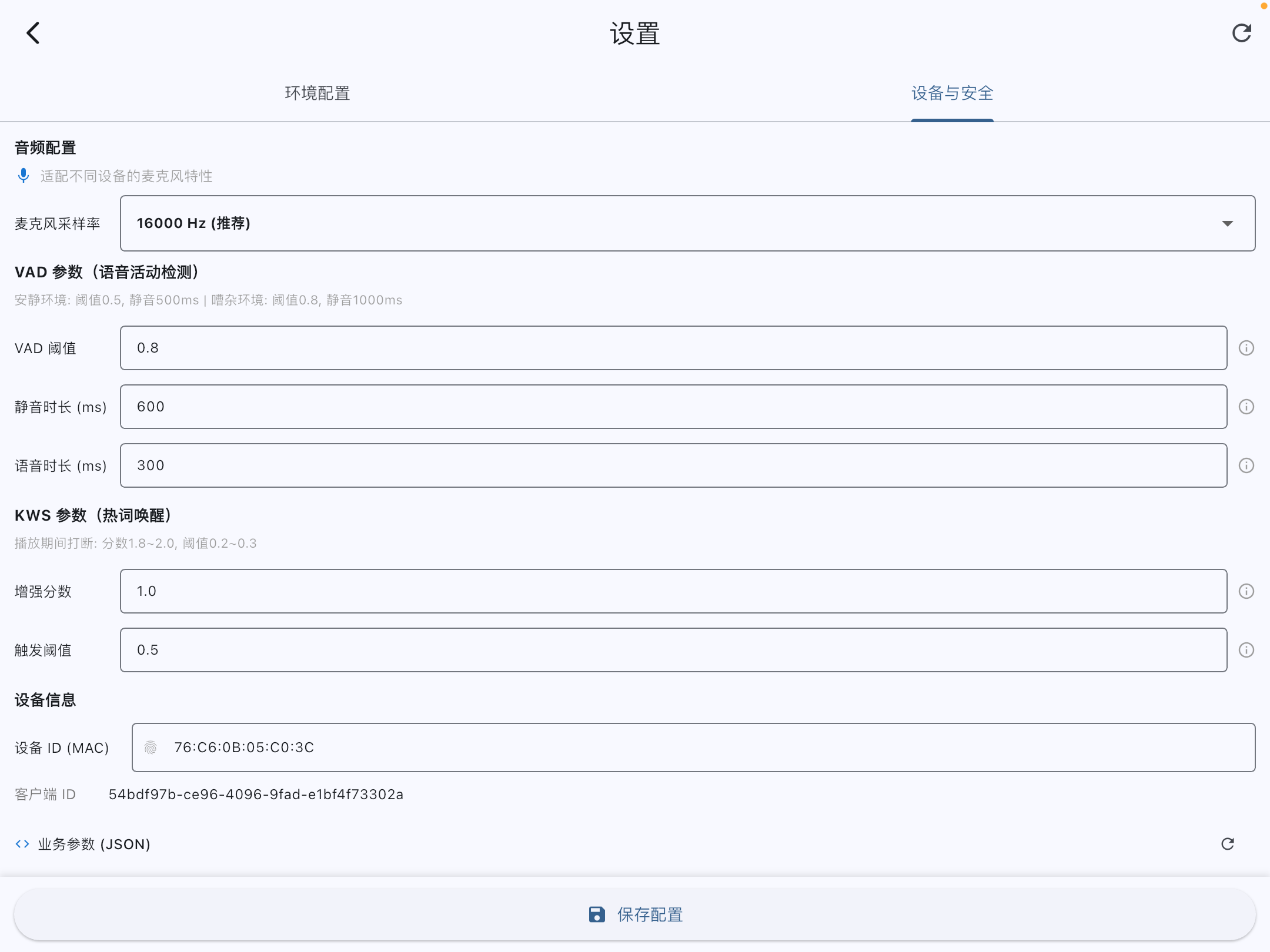
iPad - System Device Info
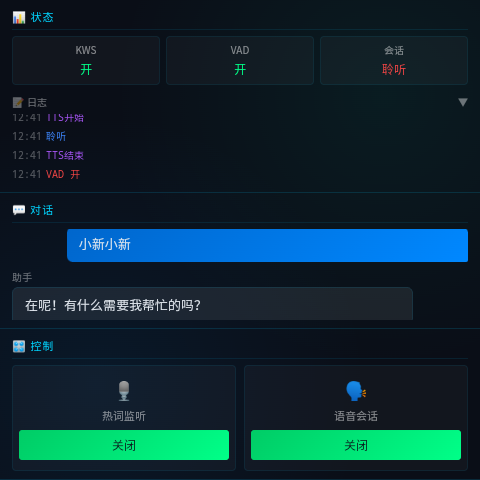
Desktop 4" - H5 Demo Console
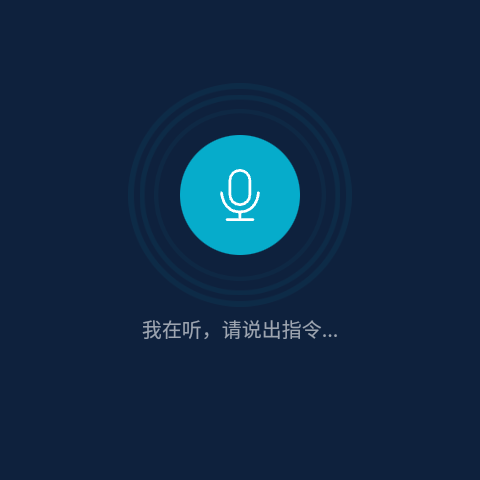
Desktop 4" - Production View
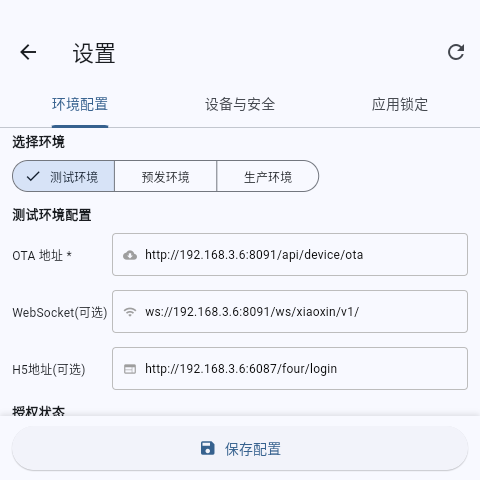
Desktop 4" - Voice Server Config
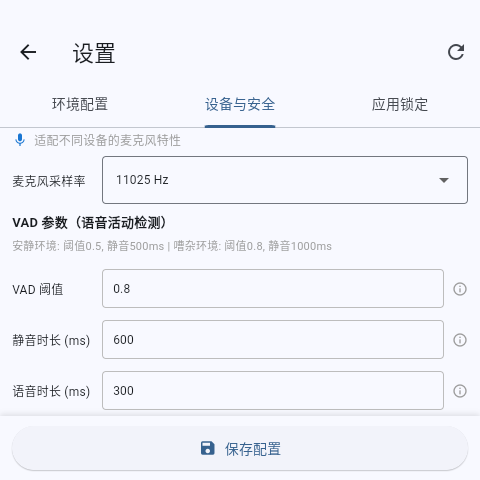
Desktop 4" - Hardware Parameters
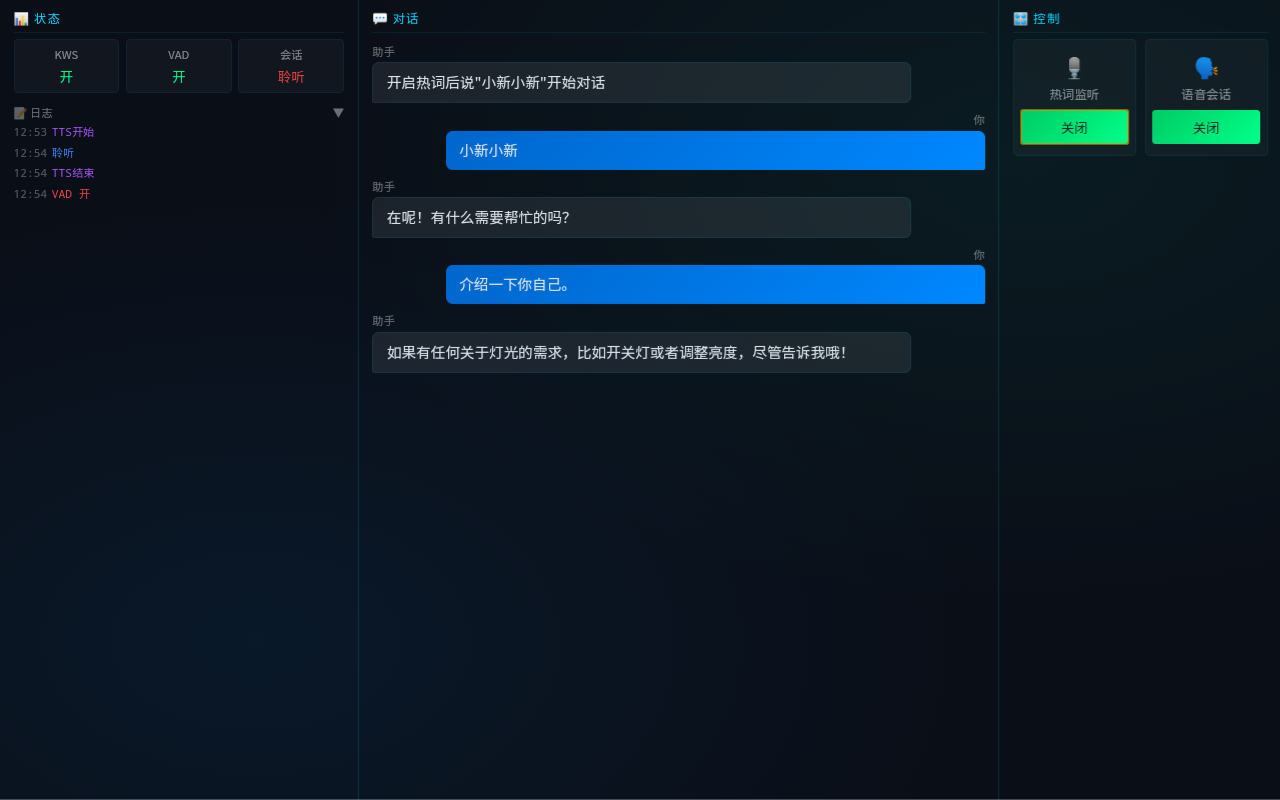
Desktop 10" - H5 Demo Console
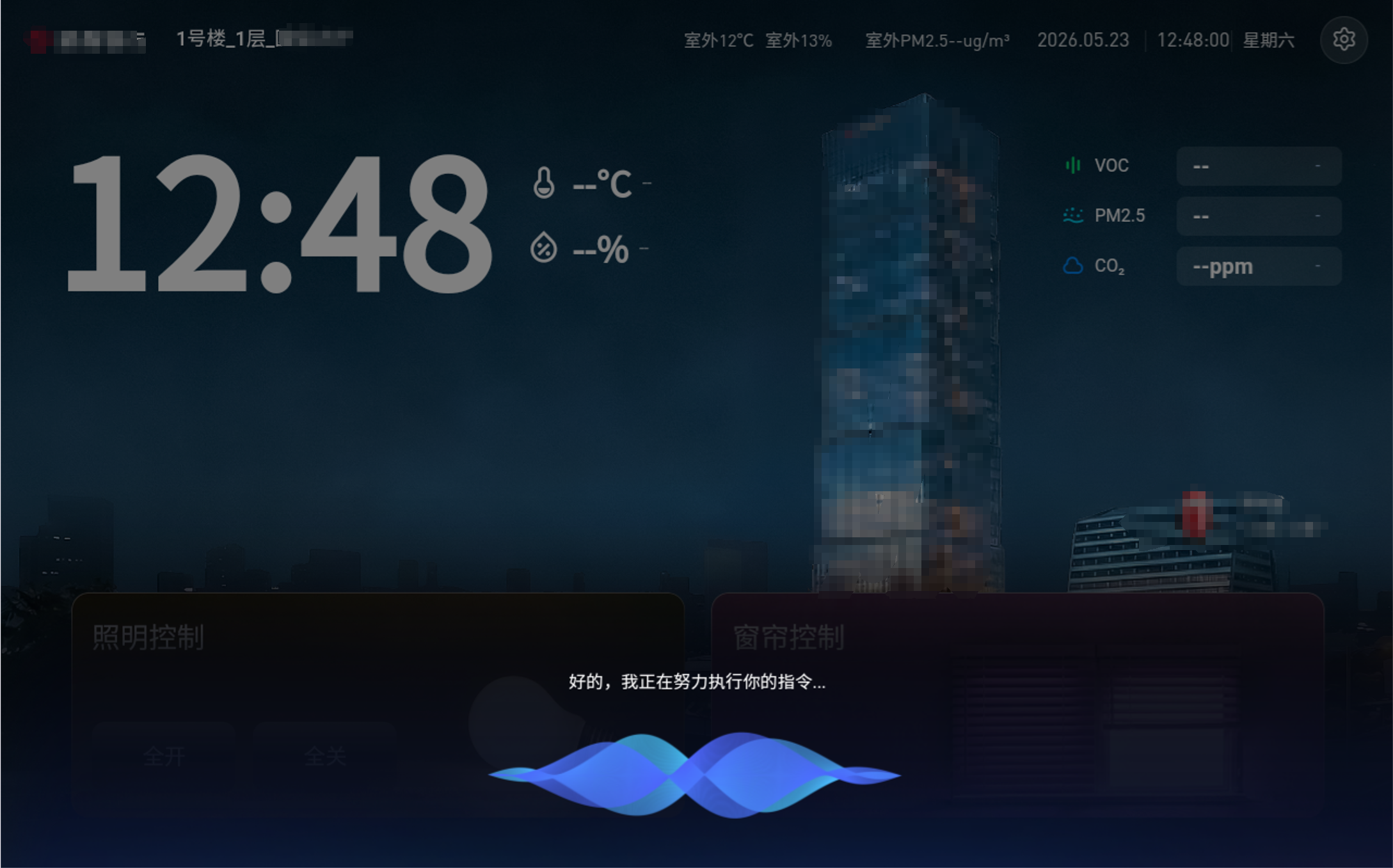
Desktop 10" - Production View
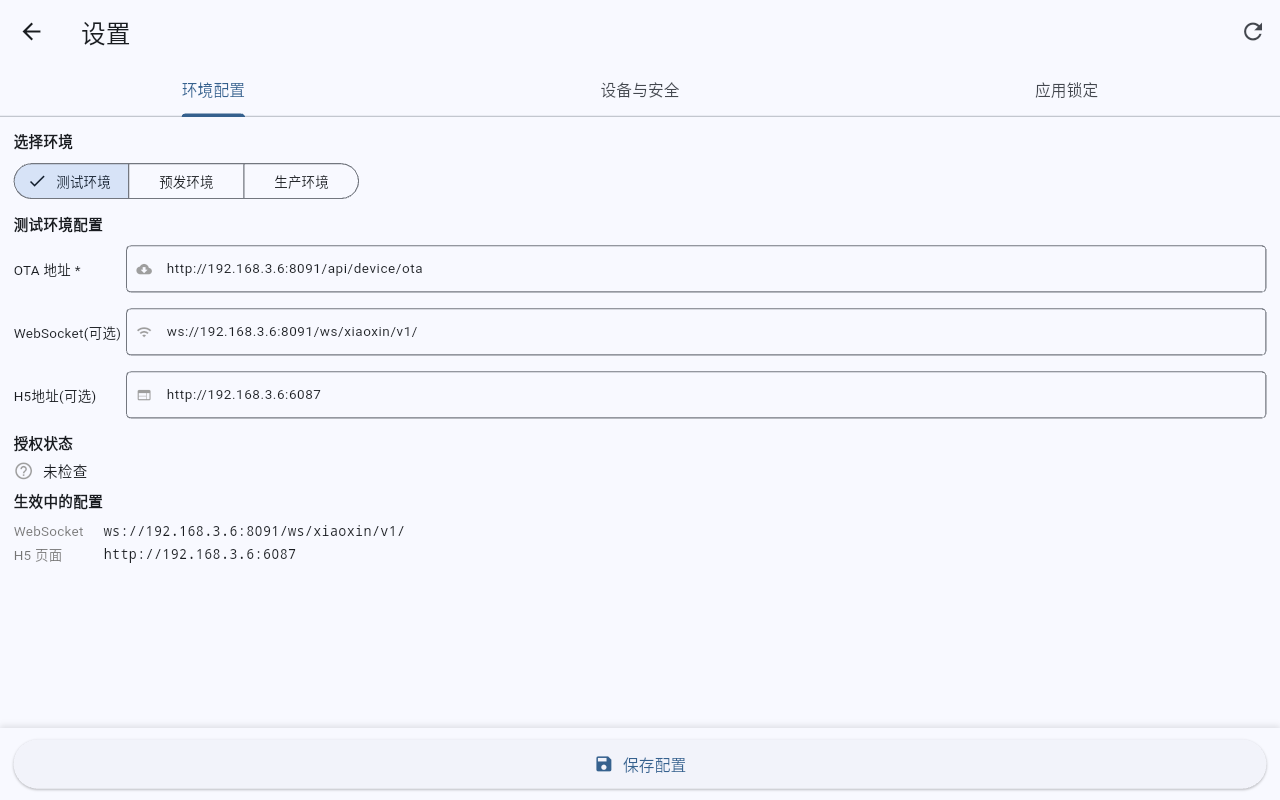
Desktop 10" - Endpoint Config
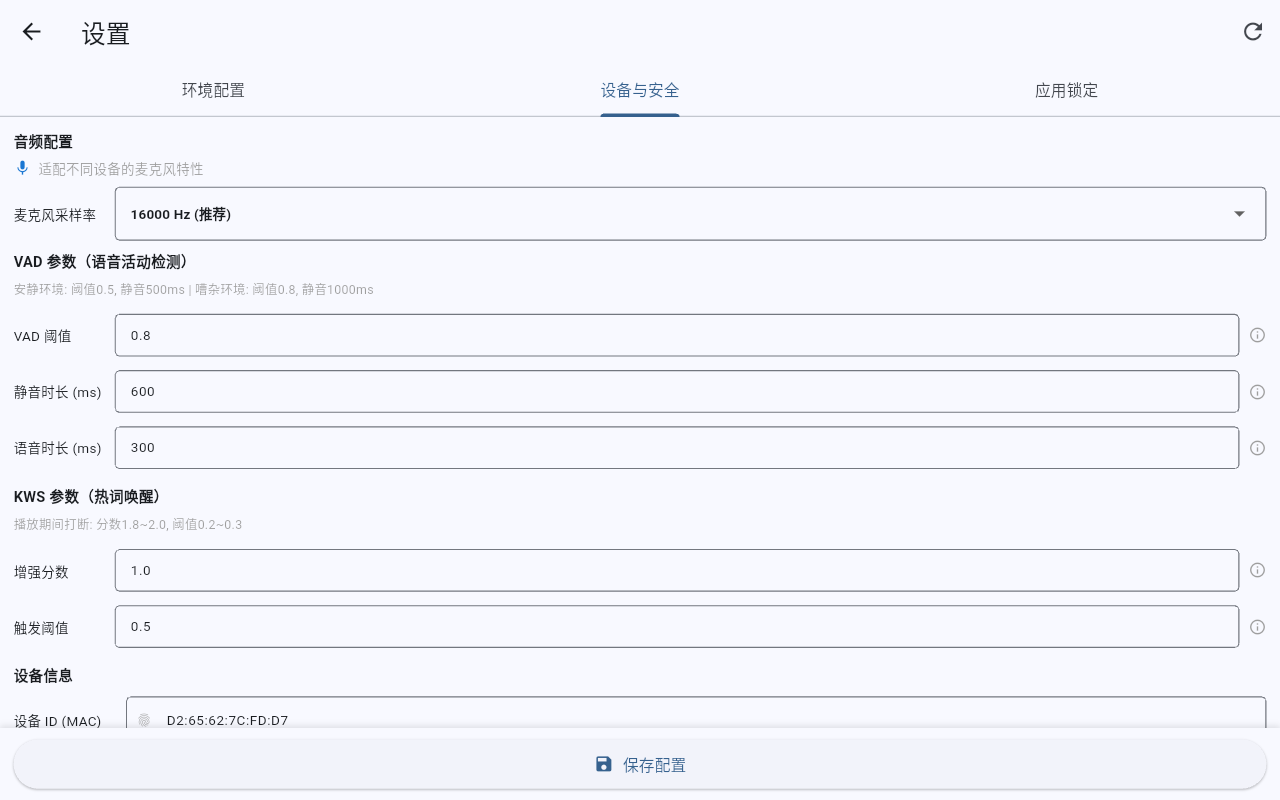
Desktop 10" - Hardware Spec Panel
Download & Quick Start
Whether you require pre-compiled package files to quickly configure permanent screens, or pull code repos to initiate custom functional modifications, start here.
Android APK & iOS Guidelines
Download built APK directly, or read iOS Xcode compilation guidelines.
Android (.apk)
Designed for mobile, tablets, wall-mounted displays, and 4" desktop panels.
Download APKiOS Xcode Compile
Supports iPhone and iPad. Pull the source and compile locally with Xcode.
Xcode Build GuideRun From Source
Run XiaoXin on a real device with four local commands:
# Clone repository
git clone https://github.com/fengin/xiaoxin-app.git

# Enter directory
cd xiaoxin-app

# Install Flutter deps
flutter pub get

# Run on device (Android/iOS)
flutter run
Development & Integration Docs
Core README
Ideal starting checkpoint. Covers overall project goals, environment initialization, module explanations, licenses, and debugging tips.
Read README →H5 Integration Manual
Designed for front-end Web developers. Thoroughly detailing JS global injection variables, API method footprints, event handlers, and callbacks.
View H5 SDK Docs →Xiaozhi Protocol Spec
Critical guide for creating a custom backend. Details WS packet payload structure, binary audio frame configurations, and signaling schemas.
View Protocol Spec →Voice Pipeline Manual
Dive deep into low-level sample rate tuning, raw PCM buffers, multi-threading playbacks, and VAD-KWS coordination diagrams.
View Pipeline Specs →MCP Calling Config
Details mapping Model Context Protocol events locally. Outlines JSON-RPC handlers to dispatch device metric controls seamlessly.
View MCP Specs →Built-in Model Licenses
Clear commercial safety checks. Details licenses for Silero VAD (MIT) and Sherpa Zipformer KWS (Apache 2.0) neural models.
View License Specs →Technical Map & FAQ
XiaoXin maintains sustainable knowledge assets beyond static code blocks. We write deep tech articles inside AI-Book (aibook.ren) for developers to understand conversational engineering.
Why is Real-time Voice Chat Complex?
Basic pipelines are trivial; managing millisecond-level audio latency while preventing state machine crashes under packet drops is the true trial.
Read in AI-Book ↗VAD Parameters & User Response Tuning
Tight VAD cuts down sentences; loose VAD makes speech delays laggy. Dive deep into configuring threshold buffers for Silero models.
Read in AI-Book ↗Opus vs raw PCM under Websockets
An exhaustive spec detailing why we chunk binary audio packets down to 60ms intervals, saving up to 90% bandwidth compared to raw waves.
Read in AI-Book ↗Model Context Protocol (MCP) in Action
A voice terminal is a tool to execute tasks. Read how JSON-RPC call specifications drive local relays and intelligent home endpoints.
Read in AI-Book ↗Fully Open Source, Standard Commercial Deployment Permitted
XiaoXin App is released under the liberal MIT License; embedded AI models are commercially safe and compliant.
Frequently Asked Questions
Join XiaoXin Developer Hub
Welcome to the AI development and speech technology ecosystem! Let's collaborate and spark new ideas together.

Add Wechat ID: mossbot